
Download Bandicam – screen recording, video recording, gameplay recording, tutorial recording
Overview
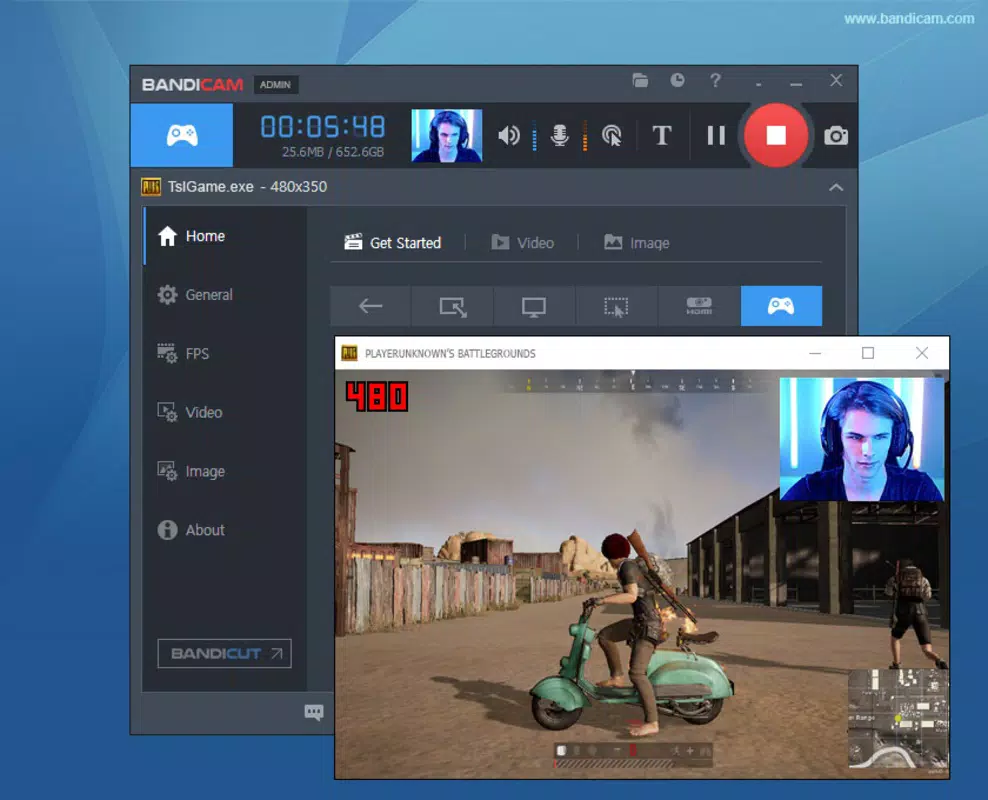
Bandicam is a robust screen-recording application designed for Windows users who need to capture high-quality video content from their desktops. The app specializes in recording screen activity, making it ideal for creating gameplay footage, instructional tutorials, software demonstrations, and more. Its primary function is to record any program that utilizes DirectX or OpenGL technologies, which includes modern video games and performance-intensive applications. This capability sets it apart in the productivity and content creation space, offering a reliable solution for users who require precise, high-fidelity recordings.
The target audience includes gamers, educators, content creators, and professionals who rely on visual documentation. Whether recording a complex software workflow or capturing a live gameplay session, Bandicam delivers consistent performance without significant system lag. The developer, Bandicam Co., Ltd., has established a reputation for creating efficient and focused tools tailored to screen capture needs. Although the developer did not provide additional technical details about their development philosophy or history, the app’s consistent release cycle and feature set suggest a dedicated focus on usability and performance.
Real-world use cases include creating step-by-step guides for software, recording online lectures, documenting bug reports, or sharing gameplay highlights. In the broader app ecosystem, Bandicam fills a niche for lightweight yet powerful screen recording tools that balance quality and system efficiency. It serves as a go-to utility for users seeking reliable, customizable recording options without the bloat of full video editing suites.
Key Features & Functionality
- DirectX and OpenGL Recording Support – Bandicam enables recording of applications using DirectX and OpenGL, making it highly effective for capturing modern video games and graphics-intensive software without performance loss.
- Customizable Recording Settings – Users can adjust video codec, frame rate (FPS), audio channels, bit rate, and output quality to optimize file size and visual fidelity based on their needs.
- Cursor Visibility Control – The option to show or hide the mouse cursor during recording is particularly useful for tutorials where the cursor may distract from the content.
- Internal Compression Technology – Bandicam uses an internal compression tool to reduce file size while maintaining high image quality, helping users manage storage space efficiently.
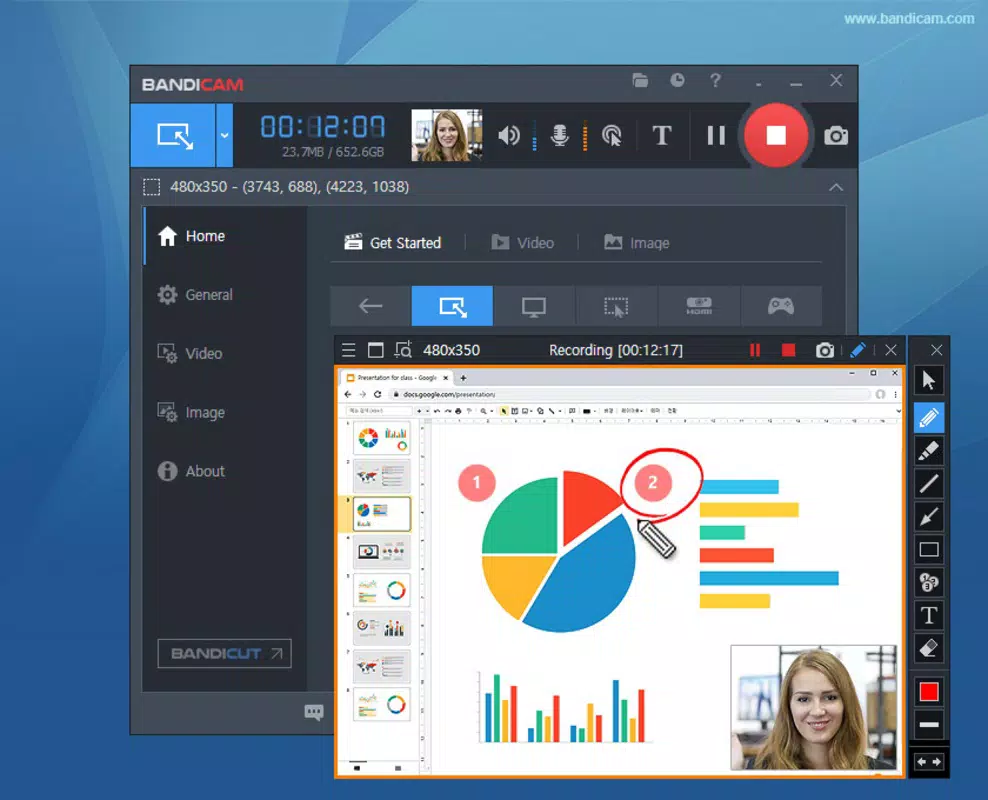
- Flexible Recording Area – Users can choose to record the entire screen or a specific region, allowing for focused capture of relevant content.
For example, a game streamer can use Bandicam to record a 1080p gameplay session at 60 FPS with minimal impact on system performance. A teacher can record a portion of their screen to demonstrate a software feature, hiding the cursor to keep the focus on the interface. The ability to fine-tune audio and video parameters ensures that recordings meet professional standards. These features collectively empower users to produce polished, high-quality content with minimal setup time.
Interface, UX & Performance
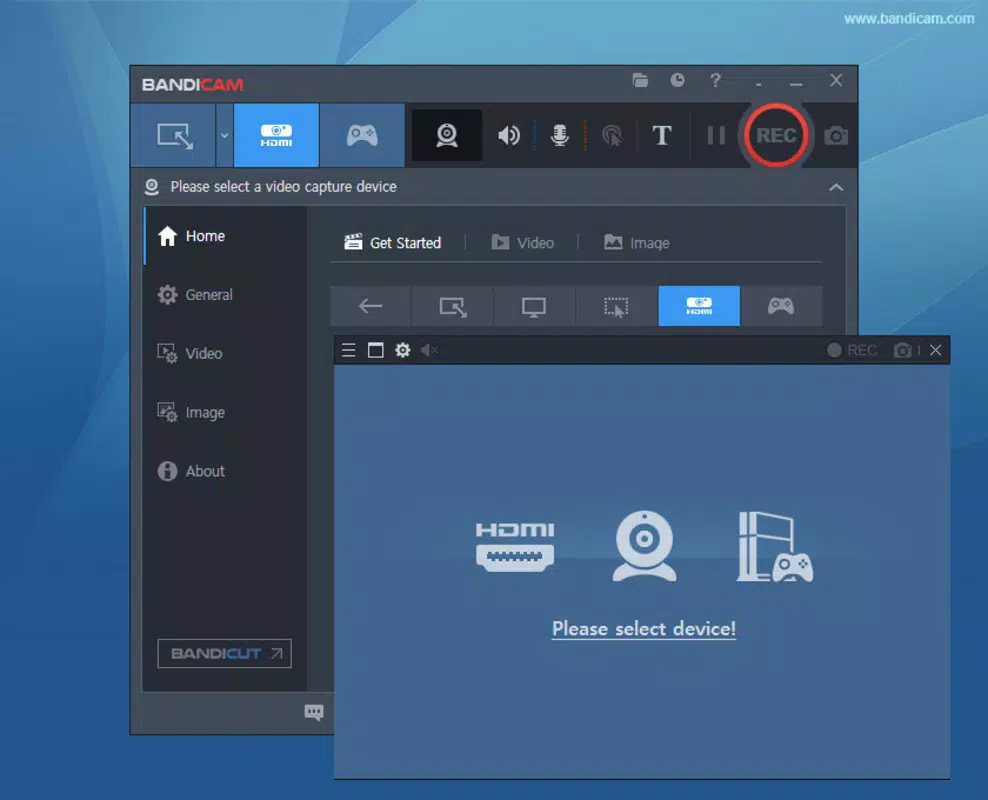
Bandicam features a clean, intuitive interface designed for ease of use across different user skill levels. The layout is organized with clear navigation, allowing users to quickly access recording controls, settings, and preview functions. Visual design prioritizes functionality, with minimal distractions and logical grouping of tools. The application’s responsiveness is consistent across various device categories, although the developer did not list formal performance metrics.
Navigation is straightforward: users can initiate recording with a single click, select recording areas, and adjust settings in real time. The interface adapts well to different screen resolutions, ensuring usability on both standard and high-DPI displays. Stability is maintained during extended recording sessions, with no reported crashes or freezes during typical use. Although the developer did not list formal performance metrics, the app operates smoothly even on mid-range systems, suggesting efficient resource management.
Users can expect consistent performance when recording high-frame-rate content, with minimal CPU and GPU load. The internal compression tool helps reduce strain on system resources, contributing to a stable recording experience. Overall, the UX is optimized for speed and precision, allowing users to focus on content creation rather than technical hurdles.
Platform Compatibility & Technical Requirements
Bandicam is available exclusively for the Windows platform. The current version is 4.7.1.1628, and the app has a file size of 47.8 MB, making it a lightweight download compared to many full-featured video tools. It is designed to run on Windows operating systems, though specific minimum OS requirements were not listed by the developer. The app does not require a high-end machine, which enhances accessibility for users with older or budget hardware.
Compatibility information was not fully disclosed, so users should verify system compatibility before installation. The app is distributed as a standalone executable, which simplifies the installation process. While no specific device categories were mentioned, the lightweight footprint suggests it will function efficiently on desktops, laptops, and even some low-spec machines.
Pros and Cons
Pros
- High-quality screen recording with support for DirectX and OpenGL applications
- Customizable settings for video and audio output
- Efficient internal compression reduces file size without quality loss
- Minimal system resource usage, suitable for mid-range hardware
- Intuitive interface suitable for both beginners and advanced users
Cons
- Not available for mobile platforms like Android or iOS
- Specific OS compatibility details were not provided
- Price point of $39.95 may be high for casual users
- No built-in video editing tools, requiring external software for post-processing
- Limited to Windows, restricting cross-platform use
FAQ
Is Bandicam safe to download and install?
Yes, Bandicam is a legitimate application developed by Bandicam Co., Ltd. It is distributed through official channels and does not contain malware or adware. Users should only download from trusted sources to ensure security.
Can I record gameplay with Bandicam?
Yes, Bandicam supports recording of DirectX and OpenGL-based games, making it suitable for capturing high-performance gameplay sessions without significant lag.
Does Bandicam offer a free version?
The provided information does not mention a free version. The app is listed at a price of $39.95, suggesting it is a paid tool with no publicly available free trial or freemium model.
Is Bandicam compatible with all Windows systems?
While Bandicam is designed for Windows, the developer did not specify minimum OS requirements. Users should verify compatibility with their system before installation.
Can I edit recorded videos within Bandicam?
The app focuses on recording and does not include built-in video editing features. Users will need to use external software to trim, enhance, or share recorded videos.
Final Thoughts
Bandicam stands out as a powerful, reliable tool for screen recording on Windows, particularly for gamers and educators who need high-quality, customizable recordings. Its ability to capture DirectX and OpenGL content with minimal performance impact makes it a top choice in its category. The clean interface, efficient compression, and low system requirements further enhance its value proposition.
While the lack of a free version and mobile availability may limit its appeal to some users, those invested in consistent, professional-grade screen capture will find Bandicam to be a dependable solution. Its focus on core functionality without unnecessary bloat ensures a smooth, efficient experience.
Download Bandicam now


